Nadakacheri CV: Certificate Verification Online by RD Number
Need to check whether a Nadakacheri certificate is genuine? Employers, colleges, banks and government offices often verify income, caste, residence and domicile certificates before accepting them. You can do it online using the RD number, without visiting an office. In this guide, you will learn:
Basics
What Is Nadakacheri Certificate Verification?
Nadakacheri CV stands for Certificate Verification, not Curriculum Vitae. The two terms can cause confusion when people search online.
The Certificate Verification service is part of Karnataka’s Revenue Department system under the Atalji Janasnehi Kendra project. It lets people check a certificate using its RD number or barcode, and helps confirm whether the certificate details match the available government record and whether the document’s status is valid or expired.
You do not always need to visit a government office or call an official to check a certificate. Employers, banks, colleges, government offices and certificate holders can use the online service.
RD Number
What Is an RD Number and Why Is It Important?
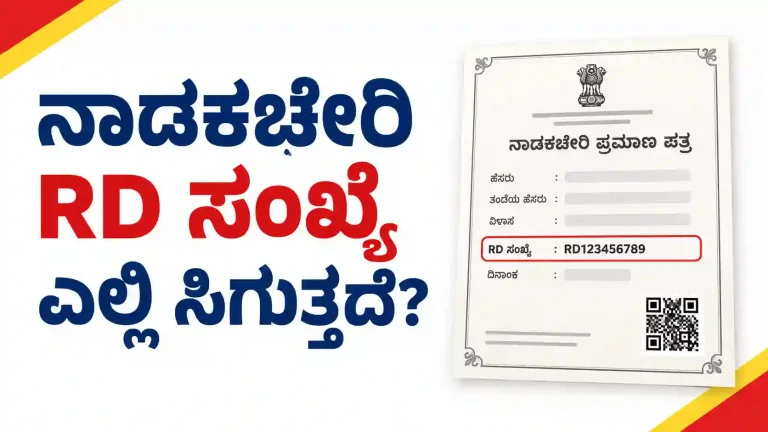
An RD number means Revenue Department number. It is a reference number printed on a certificate issued through Nadakacheri, and the verification service uses it to find the certificate record. You can usually find it near the top of the certificate. Some digitally issued certificates also include a barcode or QR code that you can scan instead of typing the number.
Do Not Enter the Application Number
The RD number is different from the application acknowledgment number. Do not enter your application number unless the portal specifically asks for it.
One RD Number per Certificate
Each certificate has its own RD number. Your income certificate and caste certificate have separate numbers, even if both belong to you.
Older Certificates
Older certificates may not show an RD number. Some documents were issued before the current format was introduced.
Can’t Find It?
Check the SMS you received when your application was approved. You can also contact the Nadakacheri office that issued the document.
Step by Step
How to Verify a Nadakacheri Certificate Online
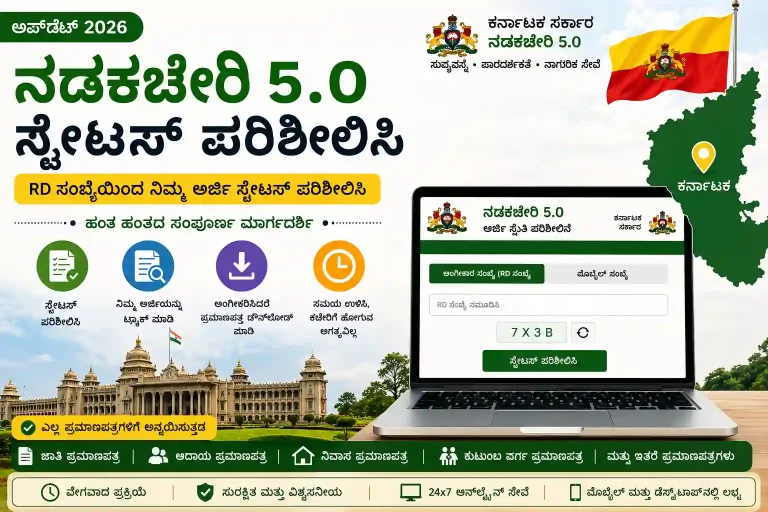
You can check a certificate through the official verification portal. Before starting, keep your certificate nearby so you can enter the correct RD number.
Step 1: Open the Official Verification Portal
Visit the Nadakacheri Certificate Verification page and look for the Certificate Verification option. If your certificate has a barcode or QR code, you may also be able to scan it to open the relevant verification page.
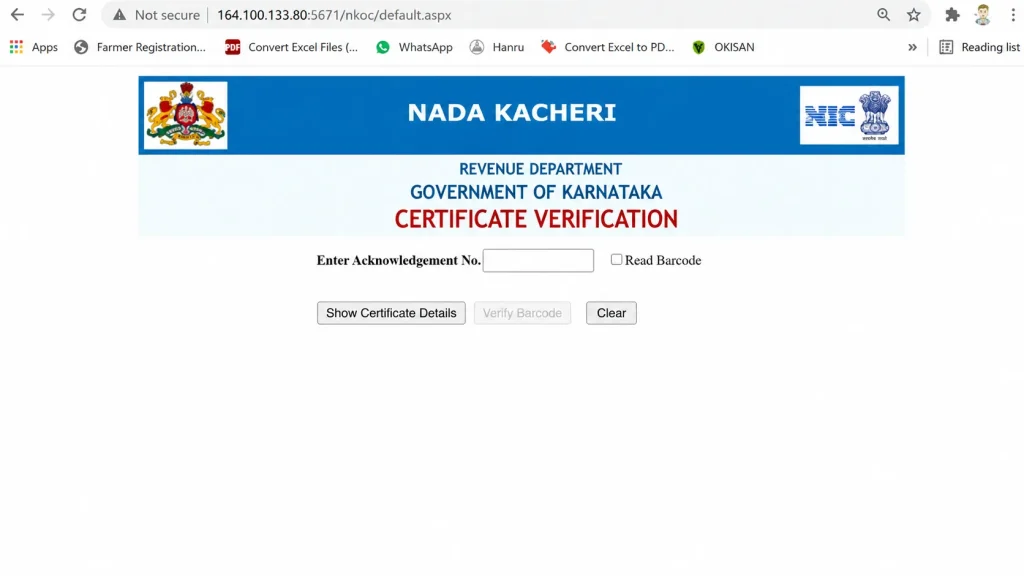
Step 2: Enter the RD Number or Scan the Barcode
Find the RD number printed on your certificate and enter it in the search box. Check every digit before moving to the next step, because even one incorrect digit can stop the system from finding the right record.
Step 3: Complete the Captcha
Enter the captcha code displayed on the screen. This security check helps the portal identify automated requests.
Step 4: Check the Certificate Details
Submit the information and wait for the portal to display the result. Compare the details on the screen with your certificate. Depending on the available record, you may see:
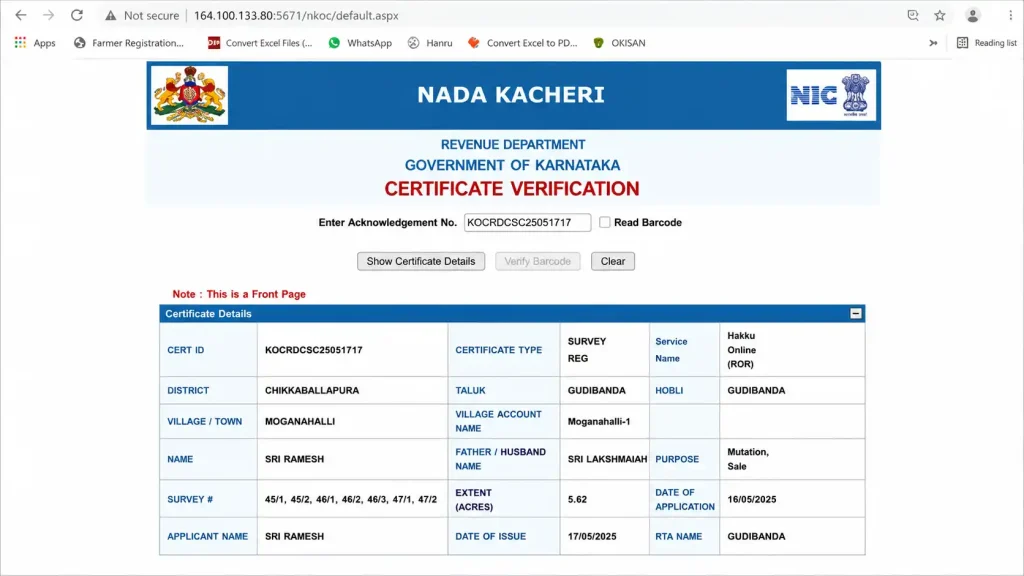
The result can indicate that the certificate is valid, expired or not found. Read the result carefully instead of assuming that every unsuccessful search means the document is fake.
Step 5: Save or Print the Verification Result
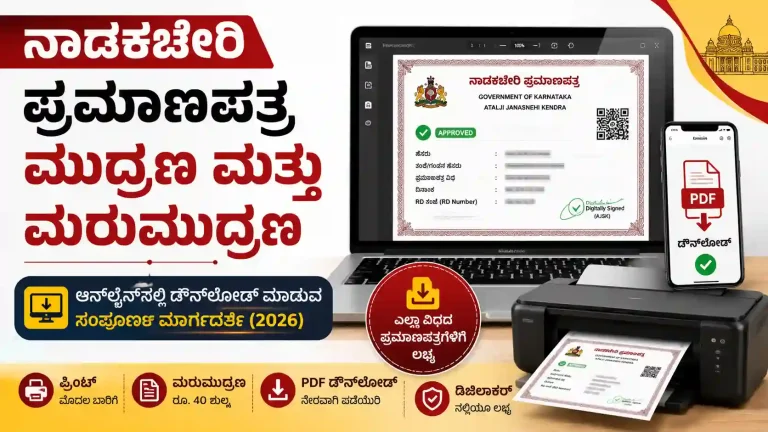
If you need a copy for your records, check whether the portal offers a print or download option. You can also use your browser’s print feature to save the result as a PDF, provided the page allows it.
Coverage
Which Certificates Can You Verify Through Nadakacheri CV?
The Nadakacheri 5.0 portal handles different types of certificates issued in Karnataka. The verification service may cover documents such as:
The availability of a record can depend on the certificate type, its issue date and the records held by the system.
Remember: each certificate has a separate RD number. If you have both an income certificate and a caste certificate, enter the number belonging to the document you want to check. Using the wrong number can lead to an unsuccessful search.
Users
Who Uses Nadakacheri Certificate Verification?
Certificate verification is not only for people who have applied for a document. Other people and organisations may also need to check it before accepting it.
Employers
They may check income or caste certificates submitted during recruitment, especially for positions with reservation requirements.
Colleges and Exam Authorities
They may verify certificates during admissions, counselling or other academic processes.
Banks
They may check documents connected with government loan schemes, subsidies or other benefits.
Government Offices
Officials may verify certificates before approving scholarships or welfare benefits.
Certificate Holders
Applicants can check their own documents before submitting them for an important purpose.
For example, if you are preparing for KCET counselling in Karnataka, make sure you use the correct certificate and RD number when checking your documents. An income certificate and a caste certificate are separate records, even when they belong to the same person. Checking the details before a deadline can help you identify a problem early and avoid delays during admission or document verification.
Validity
How Long Is a Nadakacheri Certificate Valid?
A certificate’s validity depends on its type and the rules that apply to it. Income and caste certificates may have limited validity periods, so an older certificate might not be accepted for a new application or benefit.
A certificate can be genuine but no longer valid for its intended use. This is why it is important to check both the document details and its current status.
If the verification portal shows that your certificate has expired. Then pay the renewal fee and download new certificate from the portal.
Do not assume that every certificate has the same validity period. Check the rules for your particular certificate before submitting it to a college, employer, bank or government office.
Troubleshooting
What to Do If Verification Fails
An unsuccessful verification does not automatically mean that your certificate is fake. The problem could be related to the number you entered, the age of the document or the record available online. Here are some common problems and the steps you can take.
Wrong or Incorrect RD Number
Check the RD number against the printed certificate. Make sure you have not missed a digit or confused two similar-looking characters. If you copied the number from a message or another document, compare it with the certificate before trying again.
Certificate Has Expired
If the portal shows an expired status, check the certificate’s validity rules. You may need to apply for a fresh certificate if the old one is no longer accepted. Running the same verification again will not extend the certificate’s validity.
Name or Other Details Do Not Match
Compare the name and other details on your certificate with the information displayed by the portal. A spelling difference, a change in name format or an older record can cause confusion. If the details do not match, contact the issuing office and ask how the record can be checked or corrected.
Older Certificate Has No RD Number
Some older certificates may not have an RD number in the current format. Check your approval SMS or contact the office that originally issued the certificate, and ask whether the old document can be verified or whether you need a reissued copy.
Verification Still Does Not Work
If you have checked the number and document details but cannot complete the verification, visit the nearest Nadakacheri centre or Atalji Janasnehi Kendra for help. Take your certificate with you so the staff can check its details. Do not assume that a document is invalid simply because the online portal cannot find it.
Why Check
Why Nadakacheri Certificate Verification Matters
Checking a certificate before accepting it can help prevent the use of false or altered documents. It also gives certificate holders a chance to find mistakes before submitting their paperwork for an important purpose.
An employer may need to check a certificate submitted by a job applicant. A college may need to verify a student’s documents during admission. A person applying for a government benefit may also need to make sure their certificate is correct and acceptable. In each case, the RD number helps the user locate the relevant record in the verification system.
Checking an older certificate is especially important when you plan to use it for a new application. A document that was genuine when issued might have expired or might not meet the requirements of the new process. If the result is unclear, contact the issuing office instead of making a decision based only on a failed search.
Answers
Frequently Asked Questions
Conclusion
Nadakacheri Certificate Verification allows people to check certificates issued in Karnataka through an online portal. You can use the service to look up available records for documents such as income, caste, residence and domicile certificates.
To complete the check, open the official verification page, enter the correct RD number or use the available barcode option, complete the captcha and review the result.
The most important things to remember are that each certificate has its own RD number, validity depends on the type of certificate, and an unsuccessful search does not always mean a document is fake. If you cannot verify an older certificate or find incorrect details, contact the Nadakacheri office that issued it.